
Infinifold Technique Tutorial
From MAD Magazine to Vice: evolving a classic fold-in to create moving collage

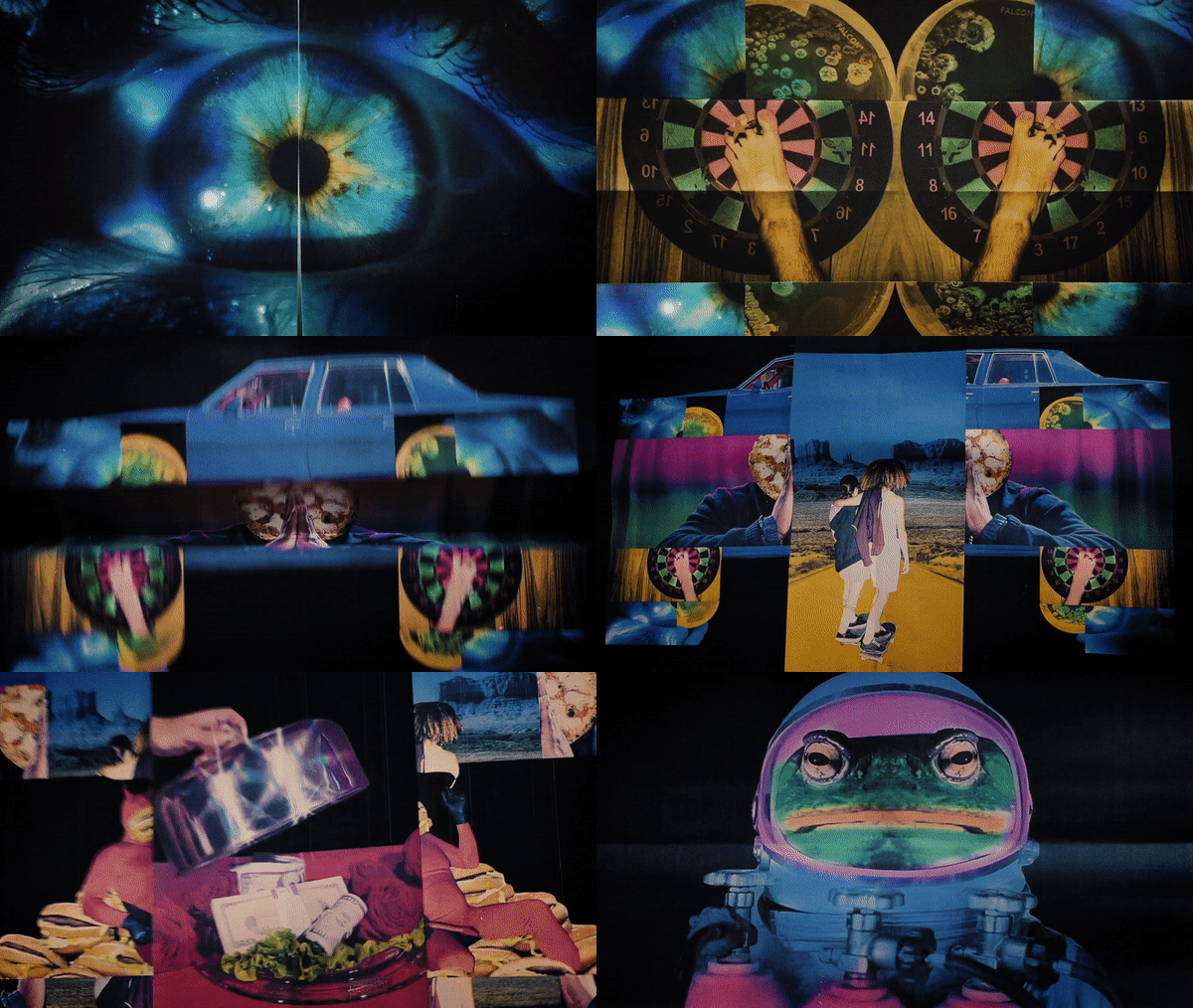
As a kid, I was obsessed with Allan Jaffee’s fold-ins in Mad Magazine. The rest of the magazine barely mattered to me, though I still had to buy the whole thing just to reveal that hidden image. A lot of what I do now traces back to those early encounters with novelties—playful ephemera like paper toys and comics that invited you to manipulate them and discover a surprise.
At some point I started wondering: what if a fold-in worked the opposite way? What if instead of folding an illustration inward to uncover a message, I used photographs that unfolded outward, expanding into a new collage, and then kept unfolding beyond that? What would that even look like, and how could I make it work?
I began by splitting images in half in Photoshop, inserting a new image inside the old one, and repeating the process. Then I filmed myself unfolding these layered prints with a down-shooter camera in live action. After a simple edit of the jump cuts in Premiere, the illusion of an endlessly unfolding image emerged—the Infinifold effect.
Fast-forward a few months, and Vice reached out to have me create one of their logo ID animations. I already had the test in my back pocket—an invaluable advantage, since showing a proof of concept makes it much easier to get clients on board with something new. I collaborated with their team—Francisco Lopez, Assaf Clements, Nina Randall, Eric Bubas, and Anuska Dhar—to curate their archived photos that would eventually be collaged into the final logo animation. The entire shooting and editing process took about five days, with sound effects added at the end by the amazing Danielle Miller.
Here is another example of the effect used for my film company’s own logo ID that incorporates my dad’s self portrait from art school. Music by the wonderful Salami Rose Joe Louis.
If you want to try this effect for yourself, all you need is video editing software, a camera, printer, and some paper.
The first step is to design your unfolding pages. In Photoshop, I set up a canvas sized 8.5 x 11 inches—the same as the paper I’ll be printing on. Then I add centre guides both vertically and horizontally to mark the folds on each page. From there, I find a starting image, split it in half (either horizontally or vertically), and begin collaging another image inside that connects visually to the first. You can help the transition by blending elements of the original photo into the new one.
Bold, simple images with some symmetry tend to work best. Try to avoid overly busy photos—the overall composition will naturally become complex as you continue unfolding. Below you will be able to see me piece together an unfolding moth sequence in Photoshop.
The next step is to print out all of your unfolding pages and score them with the back of an exacto knife to get a nice sharp crease.
Once you’ve created all of your creased pages, you’re ready to film each one unfolding. Using a down-shooter setup and a diffused light source, place a page on a flat surface and record from folded to fully open. If your fingers appear in the frame, try printing the image slightly smaller so there’s more negative space around the edges. You can also mask out your fingers in post if needed.
If the page won’t stay centred while you’re pulling it open with both hands, place a small piece of painter’s tape on the back of the centre fold—this will help keep it tethered to the middle of your frame. Once you’ve captured all your shots, import them into your video editing software and trim them so the cuts flow seamlessly between unfolding actions, while still giving viewers enough time to register each newly revealed image.
Here’s how mine turned out (no sound effects yet!). Sound really brings the Infinifold effect to life, so don’t skip that step—it makes a big difference. I encourage you to post your results in the chat down below! If you post on socials use #infinifold and tag @winstonhacking so I can share your results!
This is genius -- will give it a try! Thank you for sharing
so sick!